

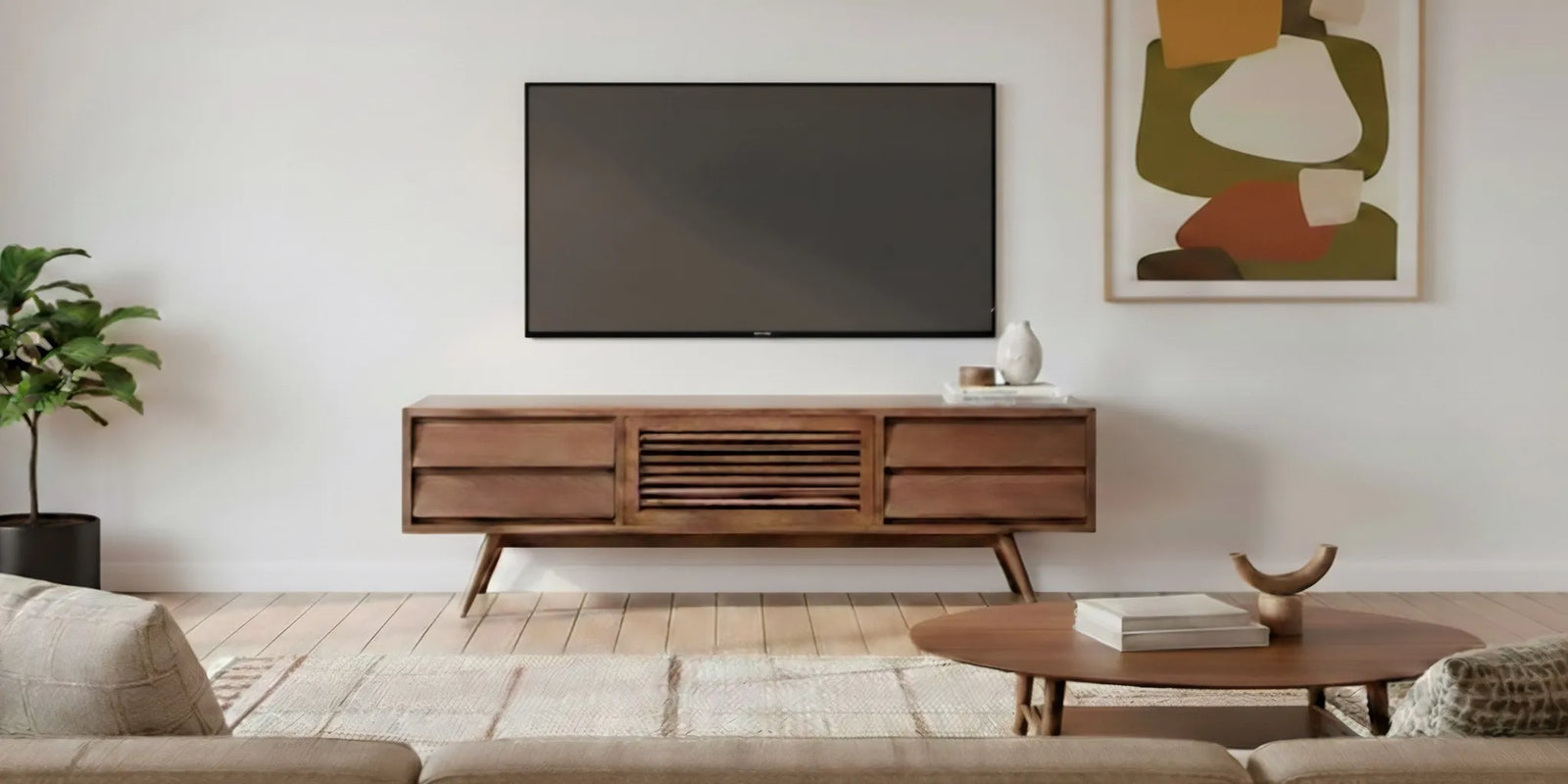

A media console can make a living room feel composed, or leave it crowded with equipment and cords. Choosing the right media console starts with the room and the way you watch, not just the finish. Measure the screen, wall, and equipment first, then compare height, storage, cable access, materials, and style. This guide walks through each decision so you can choose a piece that feels considered and works comfortably day to day.
Explore ways to connect with Gingko Furniture
A media console is a low storage piece designed for a television area. Depending on its layout, it may hold a streaming device, game console, remote controls, books, or other living-room items. Some shoppers want mostly concealed storage; others prefer open shelves for equipment they need to reach or see. There is no single ideal arrangement. The useful question is what needs a place in your room and how you want the wall to look when everything is put away.
Think of the console as both furniture and part of the viewing setup. It should look balanced beneath the screen, leave room for equipment and airflow, and fit the paths people take through the room. A beautiful cabinet that blocks a doorway or leaves a tangle of cables on display is not a good fit. A practical choice considers the whole scene, including the sofa, screen, outlets, and nearby windows.
For ideas on how different pieces work together, browse the mid-century living room furniture collection. If you are deciding among types of storage furniture, the TV cabinet collection offers a focused starting point.
Measure before browsing. It is easy to focus on a console’s width in a product photo and overlook its depth, height, or the space needed around it. Record the usable wall width, the distance from the wall to the main walking path, the height of the screen, and the location of electrical outlets. Also note baseboards, radiators, windows, wall-mounted equipment, and doors that swing into the area.
Measure the width of the wall section where the console will sit, not just the width of the television. Leave visual breathing room at both ends, and check that the piece will not crowd adjacent furniture or trim. A console a little narrower than the screen can appear intentional, while one that is much narrower may look unbalanced. A longer console can anchor a larger wall, but it should still leave clear space for movement and other furnishings.
Measure the television’s actual width rather than relying only on its diagonal screen size. A screen measurement such as 55 inches describes the diagonal, not the width across the frame. If the television will sit on the console, confirm that its feet fit securely on the top and that the console’s specifications support the setup. If the television is wall-mounted, consider the visual gap between its lower edge and the top of the console.
Console height affects the relationship between the screen and seated eye level. The best position depends on the screen, seating, and viewing habits, so mock it up instead of relying on a universal measurement. Use painter’s tape on the wall to mark the screen and console outline, or place boxes at the proposed height. Sit in the usual viewing spot and check whether the screen position feels comfortable. Account for the television’s stand or feet if it will rest on the furniture.
Measure the available depth from the wall to the nearest walkway, sofa, or door. A console that projects too far into the room can make circulation awkward, even when its width fits. Check whether doors and drawers can open fully without hitting a table or seat. If the unit will sit in a narrow space, mark its full footprint on the floor with painter’s tape and walk around it before ordering.
Write down all measurements and compare them with the dimensions listed for each candidate. Pay attention to whether a listed depth includes handles or whether a top extends beyond the cabinet, when those details are provided. Leave space for cords to bend naturally behind the piece. Do not assume that a console will sit flush against the wall if plugs, baseboards, or cable connections need room.
Proportion is more important than matching a screen size label to a furniture size. A console that extends beyond the television often gives the screen a grounded, settled appearance. A console close to the television’s width can also work when the room is compact and the overall arrangement feels balanced. Consider the other objects on the wall, including lamps, framed art, speakers, and shelving, rather than judging the console in isolation.
Use this comparison as a planning aid, not a strict rule. Screen widths and room layouts vary, and the manufacturer’s weight and placement guidance should take priority.
| Room or screen situation | Proportion to consider | What to check |
|---|---|---|
| Compact wall or smaller screen | A console near the screen width may keep the arrangement visually light. | Confirm that equipment fits and that the piece does not dominate the wall. |
| Average living-room wall | A console somewhat wider than the screen can give the arrangement a stable base. | Leave space at the sides for walking paths, trim, and nearby furniture. |
| Wide wall or larger screen | A longer console can help balance the screen across a broader span. | Check the wall dimensions, cabinet support, screen feet, and room circulation. |
| Wall-mounted television | Choose the console width and height to complement the screen position. | Plan the gap, cable route, and outlet access before mounting. |
Related products

Behind the sofa, it becomes a functional display shelf with lamps, photos, and vase of flowers.
View product

Behind the sofa, it becomes a functional display shelf with lamps, photos, and vase of flowers.
View productMake a short inventory of what you want the console to hold. Include devices, controllers, remotes, discs, headphones, extra cables, and the small items that gather near the television. Measure larger devices, including their cords and ventilation needs. This quick exercise helps you distinguish between storage that looks spacious in a photograph and storage that works for your actual setup.
Open shelves make it easy to reach devices and can help remote-control signals pass through without opening a door. They also leave equipment visible and may collect dust more readily than enclosed compartments. Check the shelf height and width against your devices. Think about where wires will run and whether the shelf layout gives you a route to an outlet.
Cabinet doors can conceal everyday items and create a more settled look. Before choosing them, find out whether a closed compartment allows the heat from electronic equipment to dissipate and whether a remote signal can reach devices inside. Door style matters, too: hinged doors need room to swing, while sliding or other configurations have their own access considerations. Confirm the design details in the product information rather than assuming all doors function alike.
Drawers are convenient for remotes, manuals, controllers, and accessories that otherwise spread across a tabletop. They are not automatically suitable for larger electronics. Compare the drawer’s interior dimensions with what you plan to store, and check how far it opens in relation to nearby furniture. A combination of drawers, doors, and open sections can offer flexibility, as long as each space has a clear purpose.
For additional storage ideas, compare a media console with the broader solid wood storage furniture selection. If you are also planning vertical storage in the room, browse bookshelves and bookcases and consider how their scale will relate to the console.
Cable management can shape whether a media wall looks neat in daily life. Find the outlet and any cable, internet, or antenna connections before selecting a piece. Count the cords that need to reach each device. Then check product details for cable openings, rear access, or other features that support your planned arrangement. Do not assume that a cabinet has a cord opening simply because it is designed for a television area.
Consider whether you may need to reach a power strip or unplug a device later. A setup that requires pulling the entire console away from the wall every time can be frustrating. Keep cords from pinching behind the cabinet, and plan the route so they are not stretched across a walking path. If you intend to wall-mount the television, coordinate the mount, outlet position, and console before installation.
Electronic equipment also needs room around it. Follow the equipment maker’s guidance for ventilation, and do not place heat-producing devices in a closed compartment unless its design and instructions support that arrangement. Measure the device with space around it, not only its outer dimensions. If you are unsure whether a particular compartment will work, ask the furniture retailer about the console’s construction and consult the device instructions.
Materials influence the look, feel, care, and long-term character of a console. Solid wood has natural grain and variation, so pieces made from it do not look perfectly identical. Veneer is a real-wood surface over a different core material; it can offer a consistent wood appearance, but the underlying construction differs. Engineered panels and other materials can also suit a home, depending on the design, expected wear, and budget. The useful approach is to compare the actual specifications, not infer construction from a product photograph.
When considering a walnut piece, look for clear information about which components are solid wood and which, if any, use another construction. Ask about the finish and ordinary care requirements. A natural wood surface can have variation in tone and grain. Those markings are part of the material’s character, rather than defects to be hidden. Gingko positions its furniture around handcrafted solid wood and mid-century modern design; review the individual product details for the exact materials and construction of a specific media console.
Construction details matter as much as the material name. Look for product information about how the frame, doors, shelves, and drawers are assembled. Joinery, hardware, and finishing all contribute to how a cabinet feels in use, but claims should be specific to the piece in question. To learn more about the brand and its design approach, visit Gingko’s About Us page. For any particular media console, rely on that product’s own listed materials and construction details.
Start with the lines and materials already present in your living room. A low, clean-lined console can complement mid-century modern furniture without making the room feel like a period set. Look at leg shape, the balance of open and closed areas, edge details, and the relationship between wood tone and the floor. Repeat a material or finish thoughtfully, rather than matching every piece exactly.
Walnut brings a warm, varied grain that can work with neutral upholstery, textured rugs, and both light and deeper wall colors. Its natural character makes each surface distinct. If the room already contains several strong patterns or finishes, a simpler console may help settle the composition. If the room feels sparse, a console with considered details or a carefully chosen object above it can add presence without clutter.
Think about how the piece will fit if you change the television or rearrange the room. A console with a useful storage layout and restrained design may adapt more easily than a piece chosen only to match one screen or a short-lived decorating trend. That does not mean every home needs a minimal cabinet. It means the console should have a clear role and feel at home alongside the pieces you intend to keep.
Most media consoles sit against the wall beneath a television, but the best placement depends on sightlines and circulation. Center the console in relation to the screen or the main wall composition, then check how that arrangement reads from the sofa and from the entrance to the room. If the television is offset because of a window, fireplace, or architectural feature, the console may need to relate to the larger composition rather than the wall’s exact midpoint.
Leave enough clearance to walk through the room without turning sideways or bumping into corners. Check nearby seating and tables when doors or drawers are open, not only when the console is closed. If a rug defines the seating area, consider whether the console should sit outside it or align with its edges; either can work if the arrangement feels deliberate and the rug does not interfere with cabinet doors.
Lighting and reflections deserve a quick check, too. Look at the screen from the usual viewing seats at different times of day, especially if a window is opposite or beside it. Avoid blocking windows or vents, and allow access to wall outlets. A temporary outline made with painter’s tape can show whether a proposed position leaves enough room for the sofa, a side table, and the route across the room. This simple test can reveal a cramped layout before the furniture arrives.
Use the same checklist for each candidate. Product photos help you assess style, but measurements and specifications answer practical questions. Save the product details and compare them side by side. If an important point is missing, ask before deciding rather than filling the gap with assumptions.
These checks are especially useful when you compare a walnut design with a painted or mixed-material cabinet. One may bring a strong natural grain and tactile warmth; another may blend more quietly with a particular room. Either can be the right choice. Prioritize the details that matter in your home, and compare like with like instead of making a decision from a single photograph.
Buying by screen size alone. The screen’s diagonal measurement does not tell you whether the console fits the wall or supports the television’s feet. Measure the screen width, console top, and usable wall.
Ignoring the back of the cabinet. A console can look tidy from the front but leave no practical route for cords. Confirm the placement of outlets and the console’s cable access before ordering.
Overlooking device dimensions. A media player may fit on a shelf while its cord or ventilation clearance does not. Measure the full setup and compare it with the available interior space.
Choosing storage without a plan. Extra compartments are not helpful if the items you own do not fit them. Decide what needs to be concealed, what must remain reachable, and what can live elsewhere.
Forgetting the rest of the room. Check walking paths, nearby seating, windows, and doors. A console needs to fit the room as a whole, not only the wall directly behind it.
Assuming details not listed. Do not assume a cabinet is solid wood, has cord cutouts, includes a particular finish, or accommodates every kind of equipment. Confirm product-specific information and current policies before purchase.
Often, a console that extends beyond the screen can make the arrangement feel grounded, but it is not a fixed rule. In a compact room, a console close to the television’s width may work well. Compare the actual screen width, wall span, and surrounding furniture, then choose proportions that feel balanced and leave room to move.
Open storage makes equipment easier to reach and can support remote-control access, while closed storage conceals clutter. Either can be useful. Check the equipment’s ventilation needs and the console’s door, shelf, and cable details. A mixed layout can work when you want some devices accessible and smaller items out of sight.
That depends on the television’s feet, the console’s top dimensions, and the manufacturer’s support guidance. Confirm that the feet sit securely and that the console is specified for the intended setup. If the screen will be wall-mounted instead, plan the height, cable route, and gap above the console.
Start by locating outlets and connections, then check whether the console has openings or rear access in useful positions. Route cords without pinching or stretching them, and keep them away from walkways. For a wall-mounted screen, plan the wiring and console placement together before installation.
Review product-specific material and construction details, dimensions, storage layout, cable access, care guidance, and current purchase terms. Natural walnut grain and tone vary, so consider how that character will look with the colors and materials already in your room. Ask the retailer about any detail that is not clear on the product page.
Contact Gingko Furniture with a product question
The best media console is the one that supports your screen and equipment, keeps everyday storage manageable, and fits naturally into the room. Take accurate measurements, compare the construction and access details, and check current product information before buying. With those decisions made first, it is easier to choose a piece whose materials and design feel right for your home over time.